
Prevention is better than cure – stop problems before they start!
Useful tips that can save you real money:

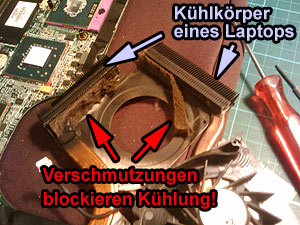 |
Spring clean your computer Many people don't realise it, but computers need a service every now and then! The processor and graphics card generate a lot of heat, which must be expelled from the case via heat sinks and fans. Where air comes out, it must also come in – bringing with it dust, hair and all kinds of debris that settles on the heat sink, eventually blocking it and causing overheating damage. Signs of a cooling problem include: Fans running loudly even when the PC is idle The computer getting progressively slower the longer you work Sudden crashes or unexpected shutdowns As a precaution, PCs, laptops and notebooks should have their cooling system cleaned at least every two years. This is especially important for laptops, which have far less airflow inside the case. Pets and cigarette smoke accelerate the build-up of dirt. |
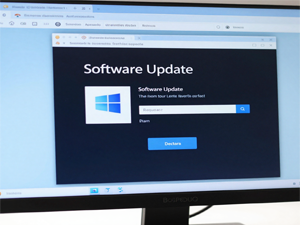 |
Windows Updates – always install them! Many users disable Windows Updates because they find them annoying or think they slow the PC down. This is a big mistake! Updates close security vulnerabilities that are actively exploited by hackers and malware. An unpatched system is like an open window for burglars. Install Windows Updates as soon as possible – ideally automatically Also regularly update programs like your browser, Office and Adobe Reader Windows 10 will no longer receive security updates from October 2025 – upgrading to Windows 11 is recommended! Tip: Simply leave your PC running overnight – Windows will install updates automatically and restart if needed. Everything will be done by morning. |
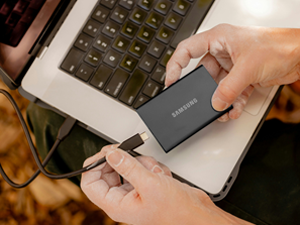 |
Data backup – the single most important tip! The most common cause of data loss is not a disaster – it's simply having no backup. Hard drives fail, laptops get stolen, ransomware encrypts all your files. Without a backup, everything is lost for good. Buy an external hard drive and regularly back up all important data to it Disconnect the external drive after backing up – if ransomware strikes, your backup stays safe Use cloud backup as a second copy: Google Drive, OneDrive or iCloud Rule of thumb: important data should always be stored in at least 2 different locations. Photos and documents that are lost may never come back! |
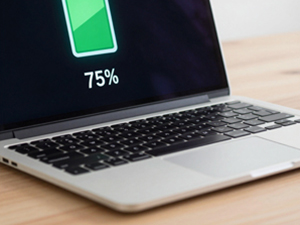 |
Extending laptop battery life Keeping a battery constantly on charge in combination with heat encourages a capacity-reducing layer to form on the battery electrodes. After a few years the battery may only last a few minutes. Don't keep the battery charged to 100% – optimal charge range is 20–80% Windows 11 has a built-in "Battery Saver" that automatically stops charging at 80% – enable it! Don't use the laptop on pillows or blankets – blocking the airflow harms the battery Manufacturers rate batteries at 500–1000 charge cycles. With careful use they last significantly longer. Newer laptops no longer have removable batteries – so proper care is even more important! |
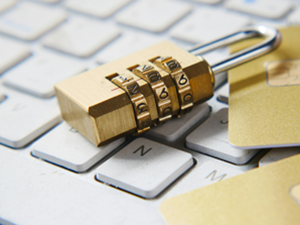 |
Secure passwords – an underestimated risk Weak passwords like "1234", "password" or your own name are the most common entry point for hackers. Such passwords can be cracked in seconds. Many people use the same password for everything – if one service is hacked, all your other accounts are at risk too. Use a unique, strong password for every service (at least 12 characters, upper/lowercase, numbers, special characters) Use a free password manager – e.g. KeePass or Bitwarden – so you only need to remember one password Enable two-factor authentication (2FA) wherever possible – especially for email and banking Tip: Visit "haveibeenpwned.com" to check whether your email address has appeared in a data breach! |
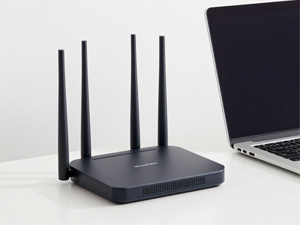 |
Securing your wireless network WiFi routers broadcast their signal up to several hundred metres around their location. An unencrypted router is an open invitation to criminals – and you could be held legally liable if someone uses your connection to commit a crime! Use at least WPA2 encryption – WPA3 is even better (current standard) Always change the router's default password – hackers know the factory passwords Public WiFi hotspots (cafés, hotels, airports) are dangerous – never do banking or enter passwords there; use a VPN instead Keep your router firmware up to date – most modern routers do this automatically; older devices need to be checked manually. |
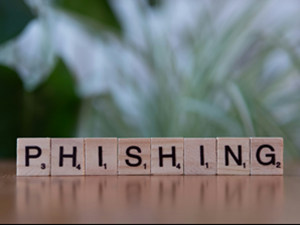 |
Phishing – when criminals go in disguise Phishing is the attempt to obtain personal data through fake emails or websites. The emails look deceptively genuine – supposedly from your bank, Amazon, the postal service or even your boss. One wrong click can be very costly. Never click links in emails asking for passwords or banking details – banks never ask for these! Check the sender's email address carefully – it often says something like "service@amaz0n-support.com" If in doubt: go directly to the website in your browser rather than clicking the link Phishing attempts also arrive by SMS and WhatsApp – so-called "smishing". Messages like "Your parcel could not be delivered – please click here" are almost always scams! |
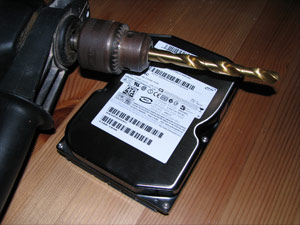 |
Permanently deleting data You know how it goes: a new PC arrives, the old one gets passed on or sold. The important data was deleted beforehand, of course... But there are programs that can easily recover deleted data! For old hard drives (HDD): use a specialist program like "DBAN" which overwrites every sector with zeros For modern SSDs: the Windows "Reset this PC" function with "Remove everything" is sufficient – overwriting with zeros does not work reliably on SSDs! The safest method for both: physical destruction with a drill – bore several holes through the centre Dispose of the drive at a recycling centre (not in household waste!). Drastic, but absolutely effective. |


